
Open-source OCR · 0.8B parameters

Xiaomi-OCR-0: from document images to structured information

Explore Xiaomi’s compact vision-language model for document parsing and OCR understanding. Find an online demo, model weights, the technical report and a practical local deployment guide in one place.

An independent resource guide. The demo runs on an external Hugging Face Space; this page does not upload or process your documents.

Sources checked:

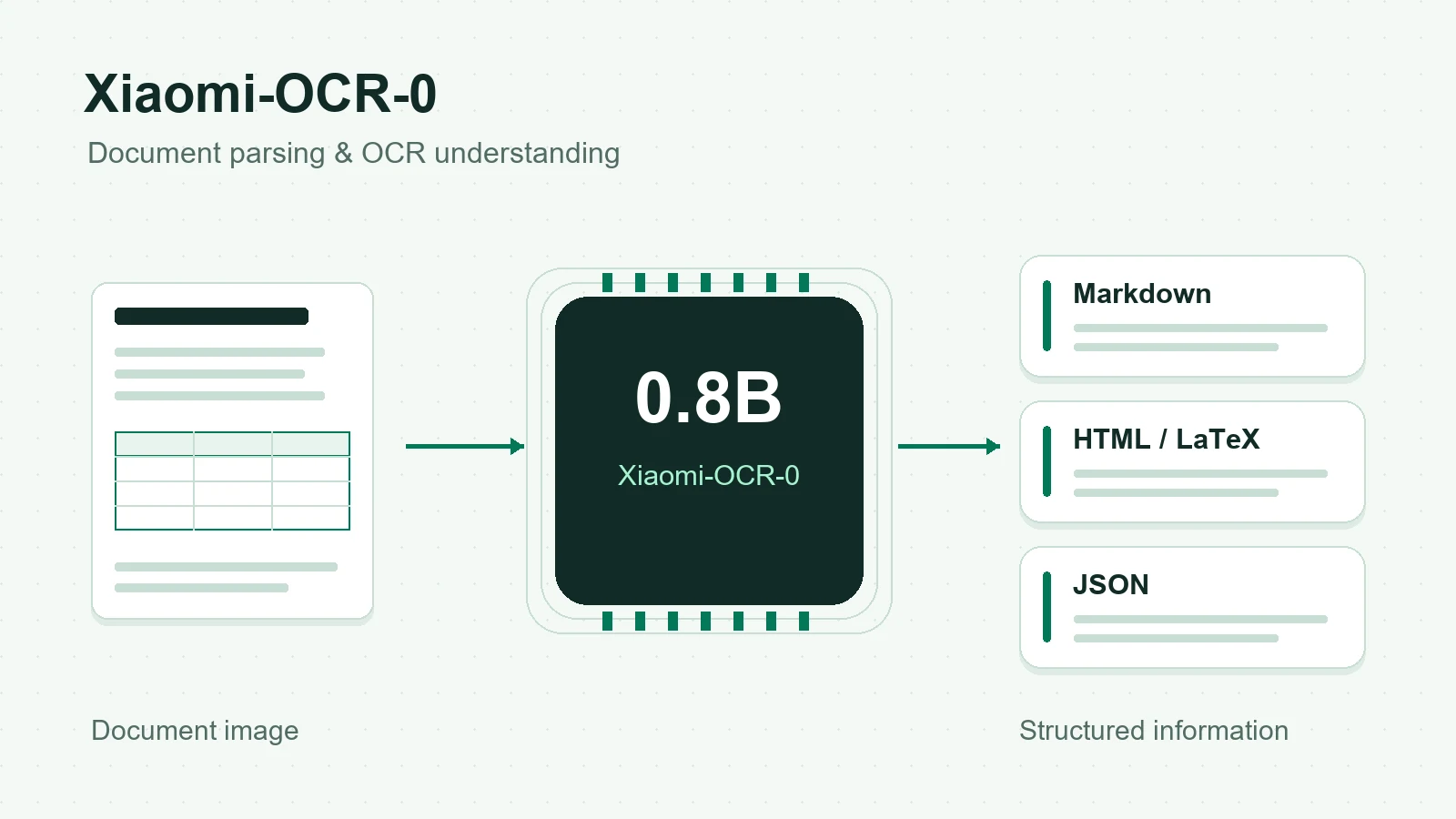
Illustration of a document page entering Xiaomi-OCR-0 and becoming structured text, a table and extracted fields.
Original concept illustration of document understanding; not a model-generated result.

Try Xiaomi-OCR-0 online

Open the loongwayX demo on Hugging Face in a new tab. It is a separate hosted workbench, distinct from the project’s information page.

  1. 01

    Choose a task and a sample

    Start with a supplied example or a non-sensitive document image. Choose document parsing, field extraction or a question about the page in the external workbench.

  2. 02

    Inspect the structure as well as the text

    Compare reading order, table cells and formulas with the original page. For field extraction, check that the returned values actually appear in the document.

External workbench page accessible when checked on . This checks page availability only, not successful inference. If the Space sleeps, queues requests or fails, use the local Demo instructions: Local deployment

What can this 0.8B OCR model do?

Xiaomi-OCR-0 specializes in reading and understanding document images. The project combines the model with page preparation and output assembly tools.

  1. 01

    Document parsing

    Recover text and reading order from document pages. The repository’s tools support whole-page parsing and a region-based pipeline for regular printed layouts.

  2. 02

    Tables and formulas

    Recognize table structure and mathematical expressions. In the supplied workflow, OTSL table output is converted into HTML within Markdown; formulas use LaTeX.

  3. 03

    Key information extraction

    Ask for specific document fields, such as a date or total, and receive structured JSON through the KIE workflow. Validate extracted values before using them downstream.

  4. 04

    Document question answering

    Ask questions grounded in the visible page. OCR-focused VQA is a separate task from faithful transcription and can produce incorrect interpretations.

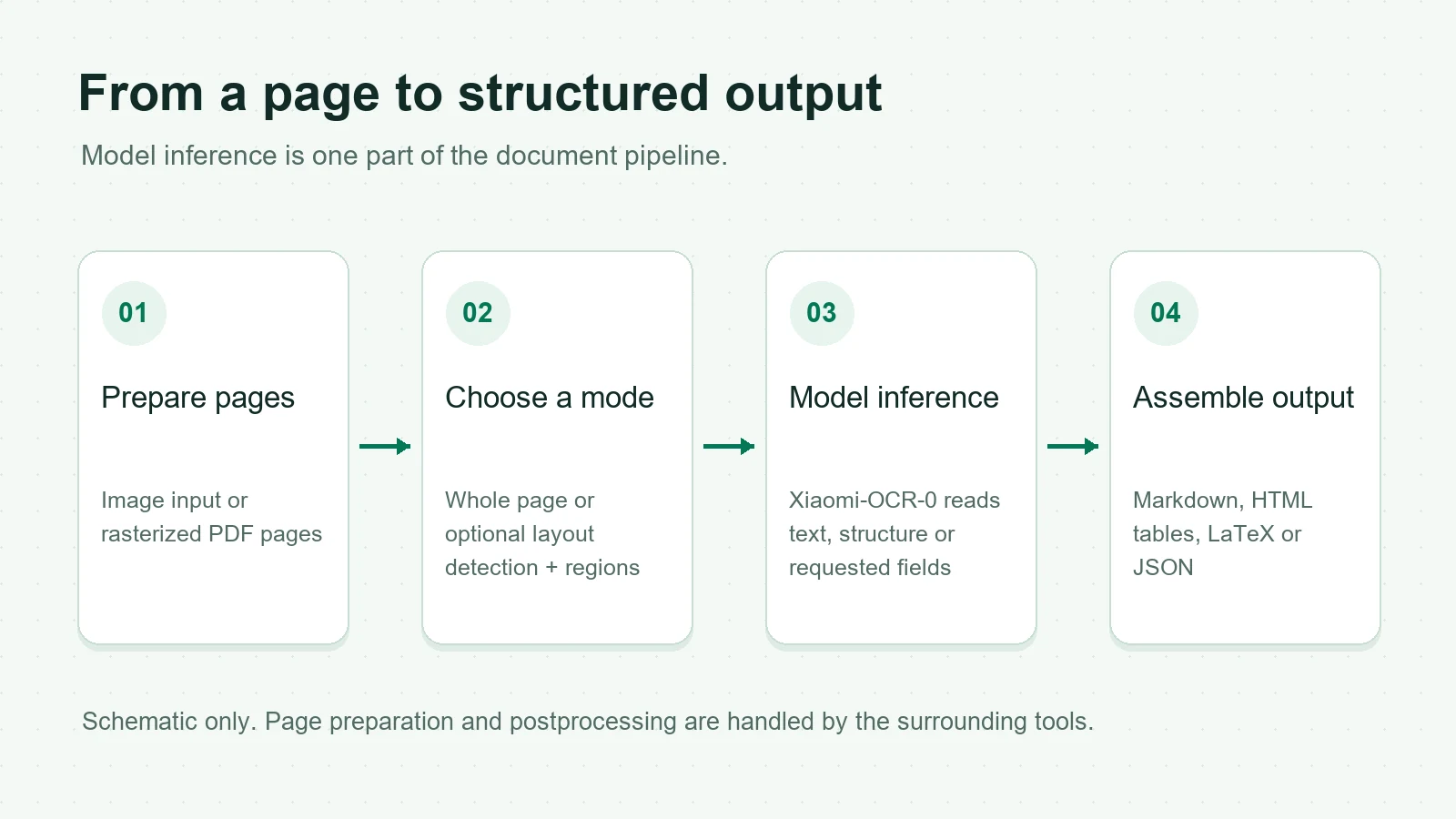
Workflow from an image or PDF through page preparation, optional region detection, Xiaomi-OCR-0 inference and postprocessing to Markdown or JSON.
Workflow schematic: the surrounding tools prepare pages and assemble output. Region parsing adds layout detection; this diagram is not an inference result or a benchmark.

The model and the full application have different responsibilities. PDF rasterization, optional layout detection, crop ordering and table conversion belong to the surrounding pipeline. A bare model call should not be assumed to return the same assembled document.

Download weights and inspect the source

Use the original checkpoint as the reference. Check each community conversion’s runtime, files and license notices before downloading.

Original weights and code

The official Hugging Face repository contains the checkpoint and model card. GitHub provides the Demo, preprocessing and evaluation tools. The release lists Apache 2.0; retain the license and applicable notices when redistributing.

Community GGUF and Ollama

GGUF conversions are community artifacts. Image inference also needs a compatible vision projector. Ollama support is experimental, and conversion results are not covered by the original model’s benchmark scores.

Run Xiaomi-OCR-0 locally

Primary route: Linux, a compatible NVIDIA GPU and vLLM. The commands below run on your own machine and are provided as copyable tutorial examples.

The repository requires Python 3.10+. Choose a Python version, CUDA/PyTorch build and vLLM release compatible with your hardware and the Qwen3_5ForConditionalGeneration architecture. Follow the linked vLLM installation guide for driver requirements. The 0.8B parameter count alone does not specify total VRAM use; image resolution, context and concurrency also matter.

1. Clone and prepare the inference environment

git clone https://github.com/xiaomi-research/Xiaomi-OCR-0.git
cd Xiaomi-OCR-0
python3 -m venv .venv-inference
source .venv-inference/bin/activate
python -m pip install --upgrade pip
python -m pip install vllm

2. Start vLLM in the same terminal

vllm serve SeerRay-Lab/Xiaomi-OCR-0 \
  --host 127.0.0.1 --port 8000 --max-model-len 16384

The commands retain SeerRay-Lab/Xiaomi-OCR-0, the checkpoint identifier used in the project’s local Demo instructions; the official model page now resolves under xiaomi-research. Wait for the model to load, and keep the server running at 127.0.0.1:8000.

3. Open a second terminal and start the Demo

cd Xiaomi-OCR-0
python3 -m venv .venv-demo
source .venv-demo/bin/activate
python -m pip install -r requirements.txt
python demo/server.py --port 8787

In the second terminal, go to the parent directory containing the cloned repository before running the commands. Then open http://127.0.0.1:8787 in your browser. Start with a supplied sample in whole-page mode. The separate Demo environment keeps its dependencies apart from the inference runtime.

Alternative: experimental Ollama

Install a Qwen3.5-compatible Ollama and keep its local service running. The community BF16 package is about 1.8 GB and includes a vision projector. These Linux shell commands use the project’s Demo preprocessing; a model pull alone does not configure the OCR workflow.

Connect the local Demo to Ollama

ollama pull longwayxu/xiaomi-ocr-0:bf16

# Run from the cloned Xiaomi-OCR-0 directory
python3 -m venv .venv-demo
source .venv-demo/bin/activate
python -m pip install -r requirements.txt
export XIAOMI_OCR_BACKEND=ollama
export XIAOMI_OCR_MODEL=longwayxu/xiaomi-ocr-0:bf16
export XIAOMI_OCR_LOCAL_URL=http://127.0.0.1:11434/v1
python demo/server.py --port 8787

Optional: region parsing

For regular printed pages, region mode adds PaddlePaddle, PaddleX and PP-DocLayoutV3. Install a compatible PaddlePaddle build using the official instructions first, then run the commands in the Demo environment. Layout weights download on first use. Stop the running Demo before restarting it. For scene text, handwriting or irregular layouts, begin with whole-page mode.

Add layout dependencies and restart the Demo

# In the Demo environment, after installing a compatible PaddlePaddle build
python -m pip install -r requirements-paddlex.txt
export XIAOMI_OCR_LAYOUT_DEVICE=cpu
python demo/server.py --port 8787

These examples were checked against the published instructions, not executed as a GPU deployment here. No local accuracy, throughput or hardware-memory result is claimed. Consult the project installation guide if model loading, architecture support or layout dependencies fail.

Published OCR model comparisons

Selected rows from the publisher’s comparison table. These are reported results, not tests performed by this website or a complete ranking of current OCR models.

Publisher-reported document parsing Overall scores · ↑ higher is better
ModelParametersOmniDocBench v1.6 ↑Real5-OmniDocBench ↑Wild-OmniDocBench ↑
Xiaomi-OCR-00.8B96.8395.2487.94
PaddleOCR-VL-1.60.9B96.3393.1987.36
GLM-OCR0.9B95.2290.3285.08
MinerU2.5-Pro1.2B95.7588.9487.33
OvisOCR20.8B96.5892.2987.91

Xiaomi-OCR-0’s three parsing scores use the two-stage pipeline, including layout detection and region inference. They should not be presented as scores for a single whole-page model call. See the evaluation pipeline for preprocessing and scoring settings.

Compare results within the same benchmark and version. The selected table does not establish latency, deployment cost or GGUF/Ollama accuracy. Use your own pages to evaluate reading order, tables, formulas and field extraction before choosing a model.

Sources checked:

Xiaomi-OCR-0 questions

Sources and further reading

Use the original model card, report and repository for current instructions. This page records a dated reference snapshot; runtime compatibility and external Demo availability may change.