
01
Auto People for a first pass
Select up to ten detected people in one action. The result remains editable and can be undone like any other mask action.
MagicEraser Online
Paint over photobombers or background crowds and restore the scene behind them without complex retouching.
JPG, PNG or WEBP · up to 15 MB
No signup required · images are stored temporarily
Auto People provides a quick first mask on this page, while the manual tools keep the final selection under your control.
01
Select up to ten detected people in one action. The result remains editable and can be undone like any other mask action.
02
Remove the automatic mask from the person you want to preserve, including hair, clothing and nearby accessories.
03
Add missed limbs or trace partially hidden people when the automatic boundary needs help.
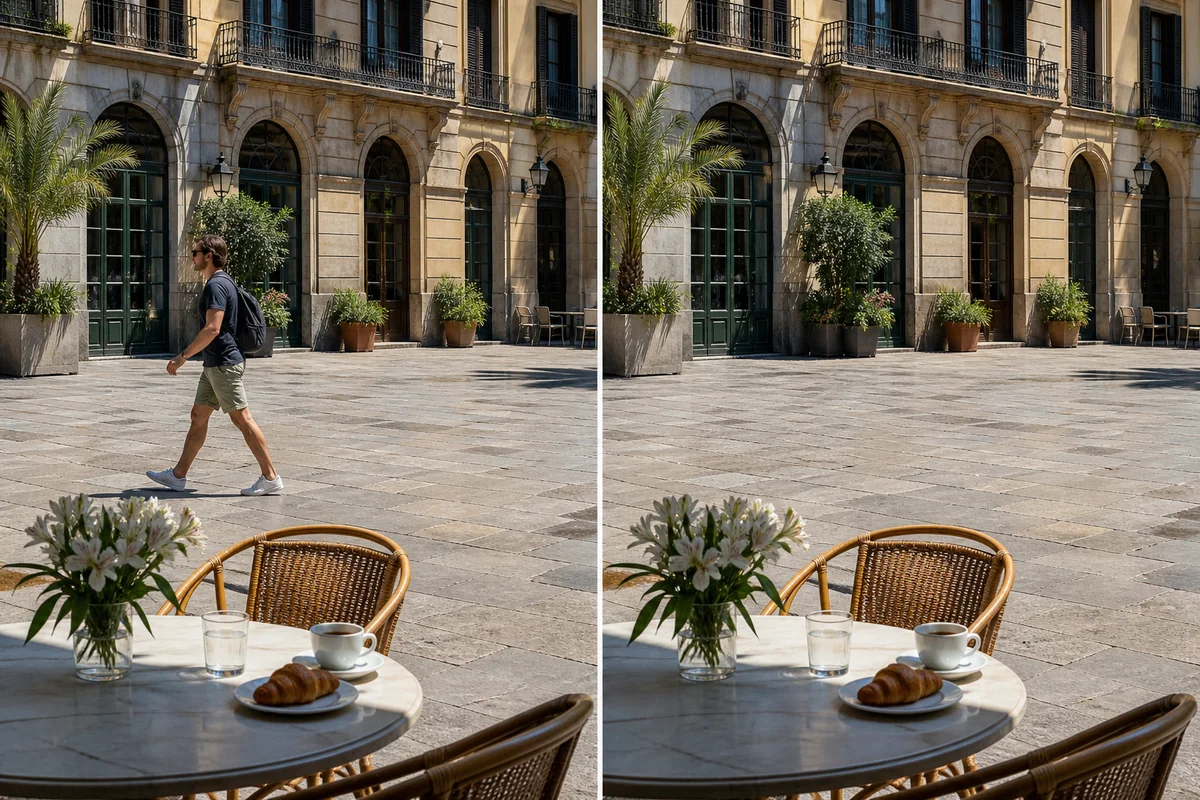
Paint over a passerby and reconstruct the scene behind them while preserving the rest of the travel photo.
Private by design: anonymous images are temporary, not a permanent public gallery.
Mobile friendly controls work with mouse, touch and stylus through Pointer Events.
Brush, eraser, undo, redo, zoom and pan give you control over every mask.
Remove people from photos online when tourists, background crowds or photobombers distract from the main subject. The AI people remover rebuilds the scene behind the selected person so travel photos, portraits and event images look cleaner.

Choose an image with enough visible background around the people you want to remove.
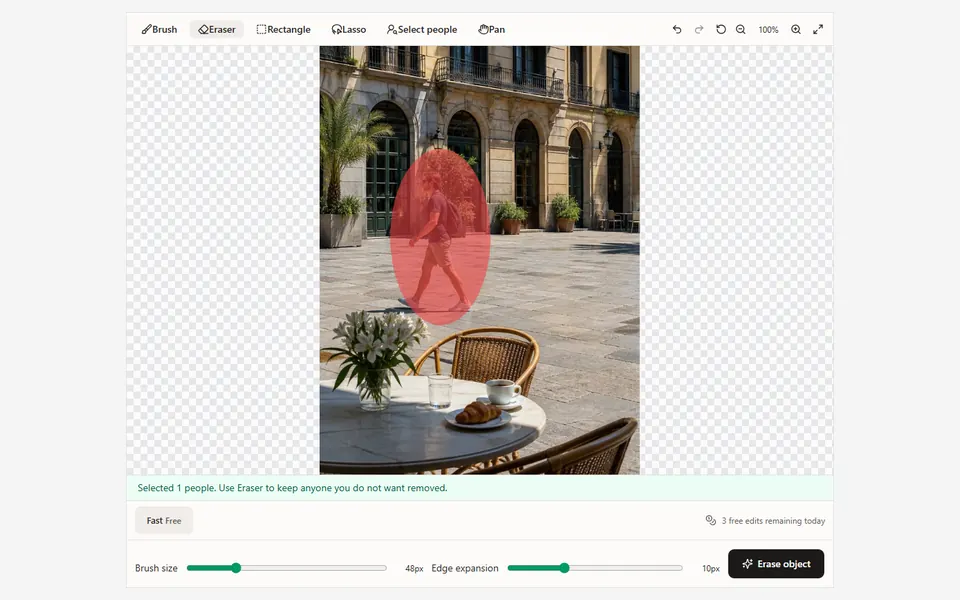
Use Auto People to select visible people, then erase the mask over anyone you want to keep or add missing areas with manual tools.
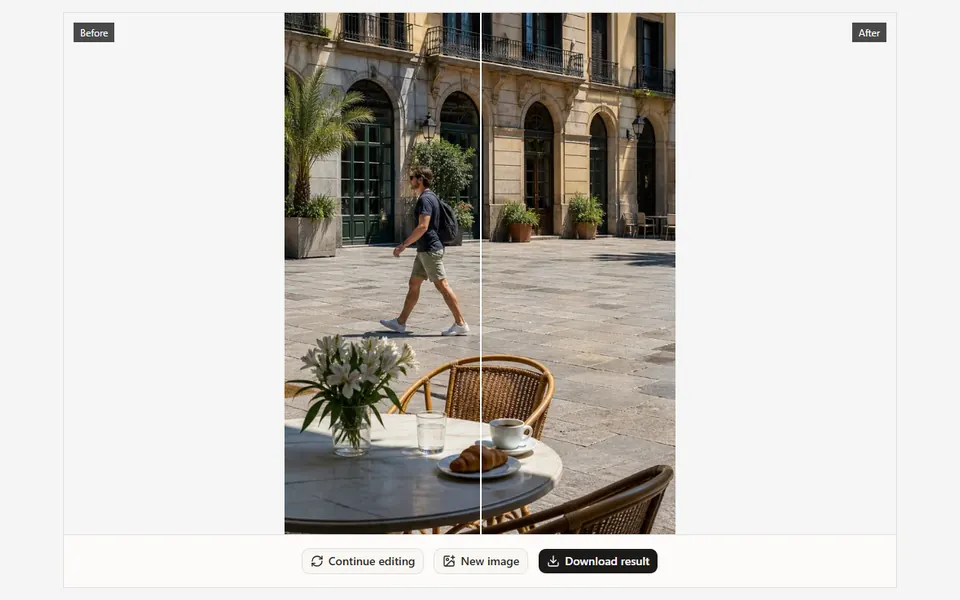
Run the cleanup, inspect detailed boundaries, and continue editing a smaller area if the crowd or background needs another pass.
Clear tourists from landmarks and travel photos.
Remove photobombers from portraits and event pictures.
Simplify busy backgrounds while keeping the main subject intact.
Paint over a passerby and reconstruct the scene behind them while preserving the rest of the travel photo.
01Include cast shadows and reflections only when they belong to the person being removed.
02Split dense crowds into smaller passes so each reconstructed region has enough clean background context.
03Zoom in around faces, fingers and overlapping limbs, then adjust edge expansion before processing.
Step-by-step guide
See how to select tourists or photobombers, protect the main subject and repair difficult crowd scenes in the browser.
Upload an image, paint over the distraction and let AI handle the difficult part.
Upload image