
01
Rectangle for simple geometry
Select boxes, signs, labels and isolated straight-edged items in a single drag.
MagicEraser Online
Erase distracting objects with a precise mask and let AI blend the empty space into the original scene.
JPG, PNG or WEBP · up to 15 MB
No signup required · images are stored temporarily
Object shape matters more than object category. Start with the tool that follows the outline with the least extra background.
01
Select boxes, signs, labels and isolated straight-edged items in a single drag.
02
Trace bags, plants, cables and curved objects without masking a large rectangular area around them.
03
Paint small projections and gaps, then use Eraser to protect nearby details that should remain.
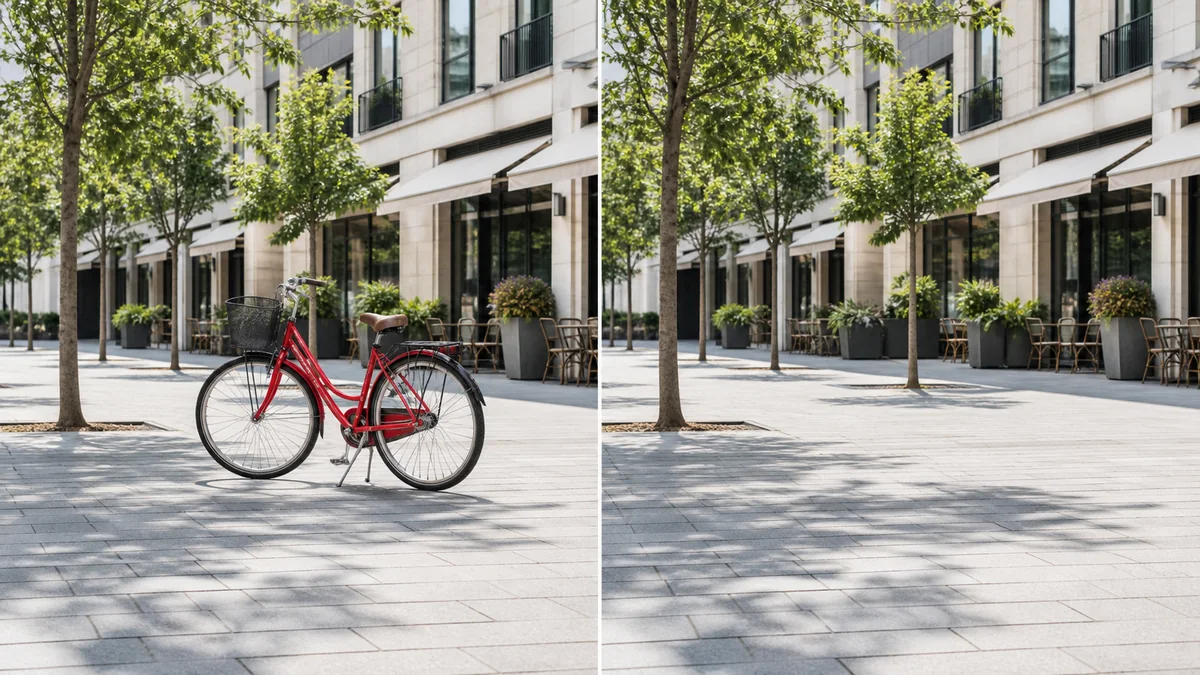
A precise mask gives AI the context it needs to rebuild paving, architecture and other background detail.
Private by design: anonymous images are temporary, not a permanent public gallery.
Mobile friendly controls work with mouse, touch and stylus through Pointer Events.
Brush, eraser, undo, redo, zoom and pan give you control over every mask.
Use this object remover online to remove objects from photos when signs, cables, trash cans or small distractions pull attention away from the subject. Brush the unwanted object, run the AI cleanup and download a cleaner image for listings, posts or everyday edits.
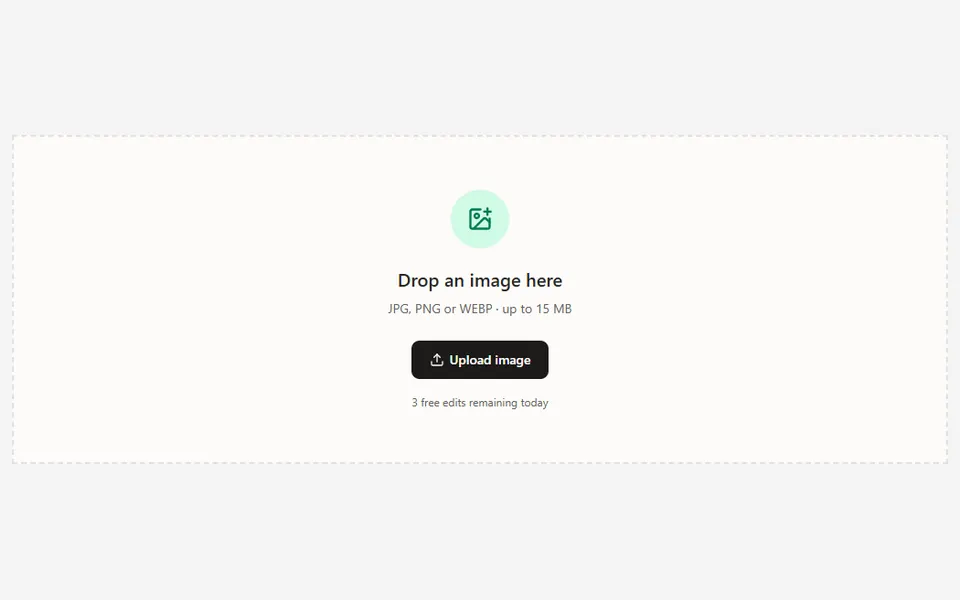
Keep useful background around the object so the AI has nearby texture, color and lighting to reference.
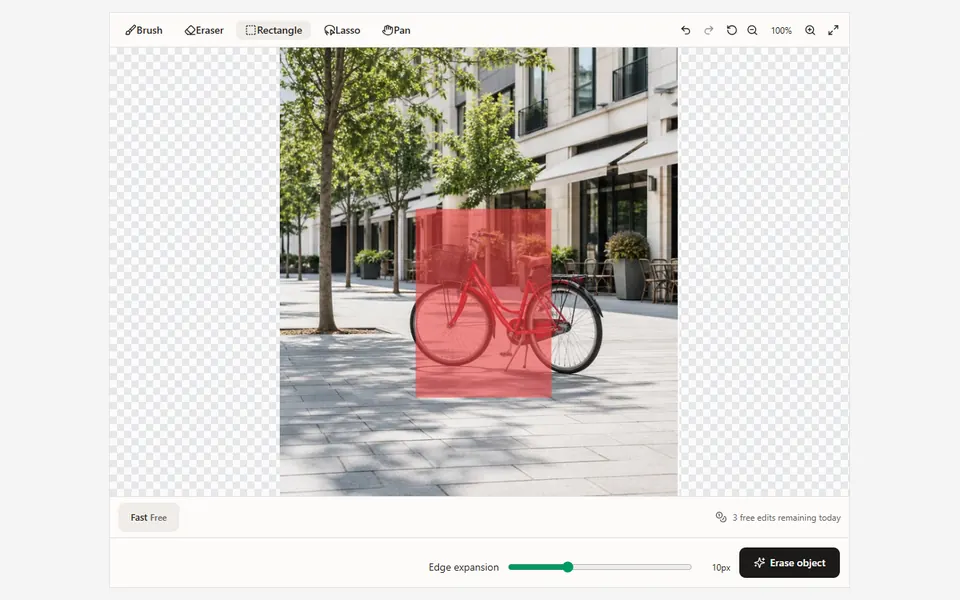
Use Rectangle for geometric objects, Lasso for uneven outlines or Brush for narrow details, including connected shadows when needed.
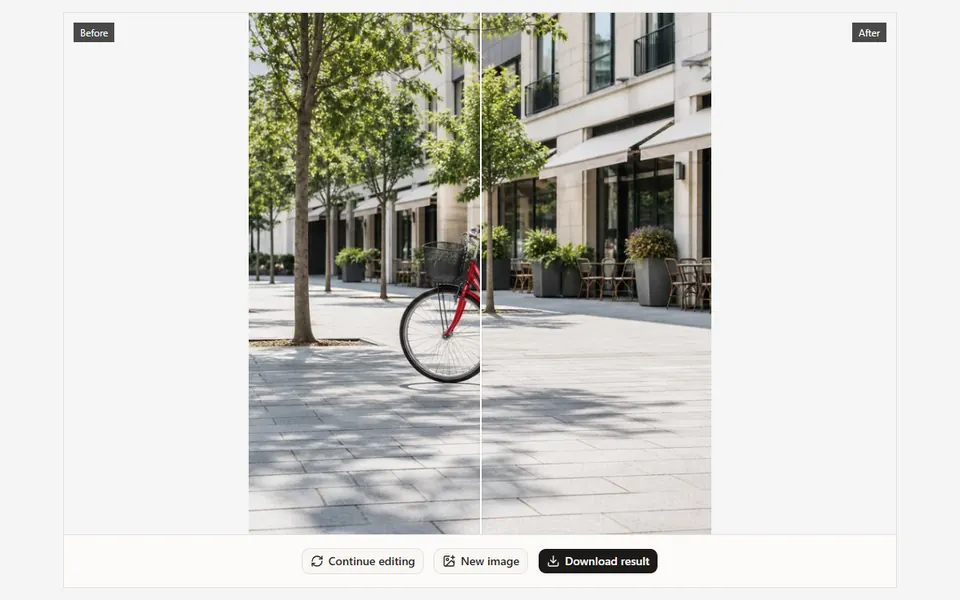
Correct the mask with Eraser, tune edge expansion, run the cleanup and inspect the result at full zoom before downloading.
Remove street signs, trash cans, wires and visual clutter.
Clean product photos before publishing them online.
Fix background distractions without cropping the composition.
A precise mask gives AI the context it needs to rebuild paving, architecture and other background detail.
01Remove one difficult object at a time when several items overlap or sit on different background textures.
02Leave clean nearby pixels unmasked; they provide useful context for rebuilding repeating surfaces and edges.
03If the first result leaves an artifact, continue editing and mask only that smaller area for the next pass.
Step-by-step guide
Learn how mask coverage, surrounding context and a careful second pass improve object removal results.
Upload an image, paint over the distraction and let AI handle the difficult part.
Upload image